
If you have any site, like a business website, blog, or e-commerce site, continuing to use the free Gmail for website email can significantly impact your business.
An official email address is associated with your domain name (e.g., [email protected]). This will build trust and credibility with customers, enhance your brand image, and attract more potential clients or customers.
With DirectAdmin, you can easily create any kind of professional email address that is associated with your domain name. At HostBet, we offer DirectAdmin. So, “You can create email accounts according to your chosen hosting plan,
A Step-by-Step Guide to Create Email Account
Logging into DirectAdmin: We use HostBet web hosting to access DirectAdmin. You can easily access it by logging into the HostBet client area using your username and password provided by your hosting company.
Want a visual guide for creating email accounts? Check out our video on how to create email account in DirectAdmin.
Step 1: Log in to your HostBet Client Area using your username and password.
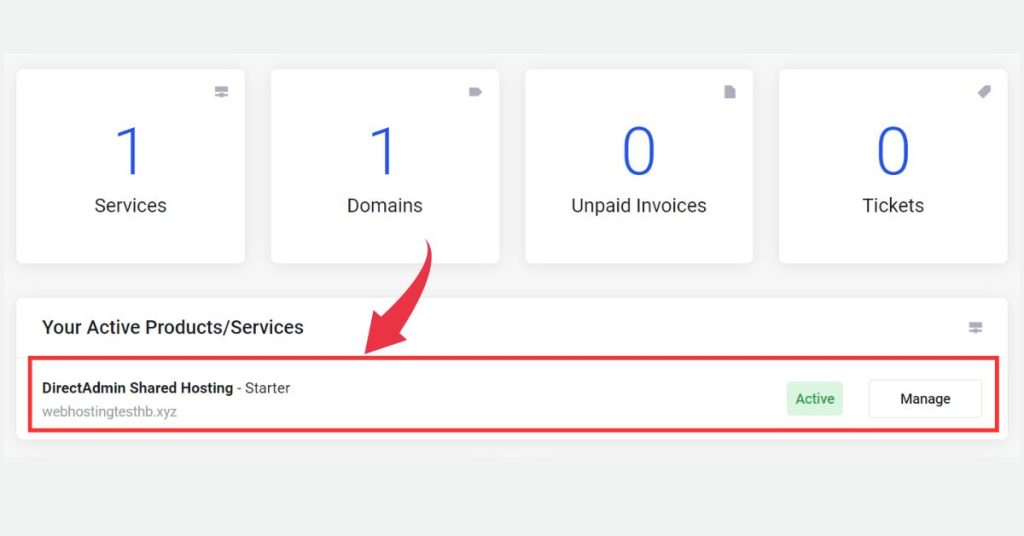
Step 2: Locate your product or service and click on it.
Step 3: Next, click on the “Log in to DirectAdmin” button. This will redirect you to the DirectAdmin control panel.
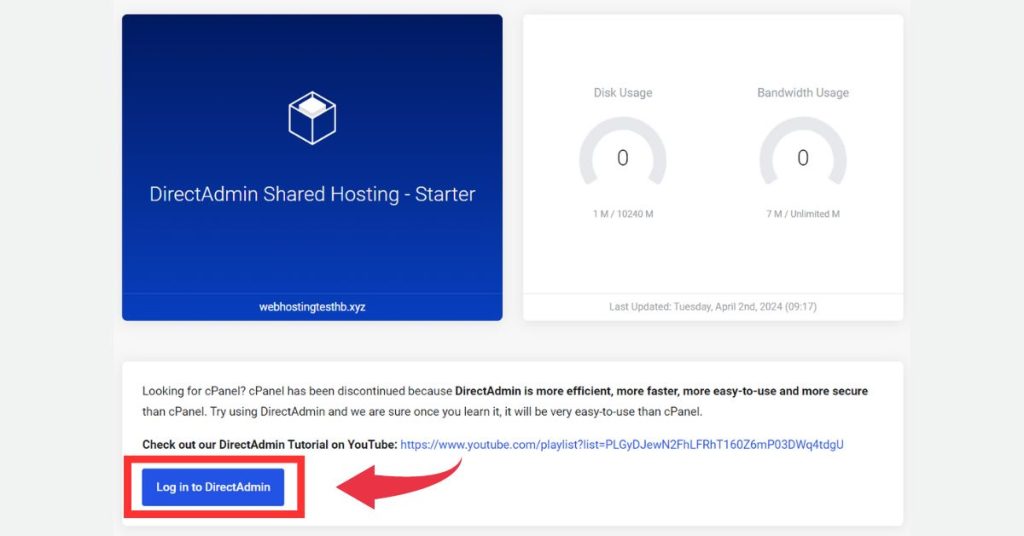
Alternatively, you can log in to DirectAdmin using your username and password.
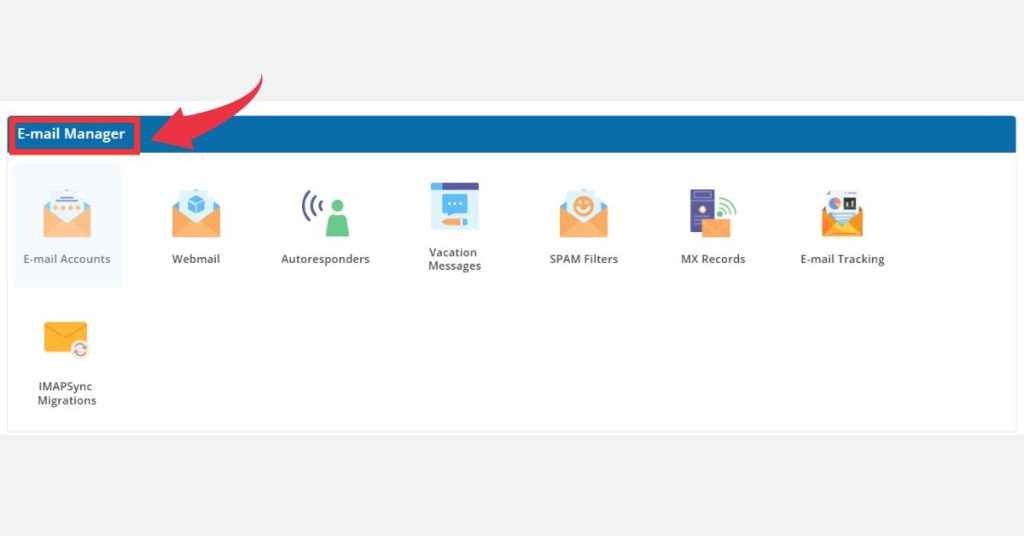
Step 4: Once you’re in DirectAdmin, navigate to the “E-mail Manager” section within your DirectAdmin panel.
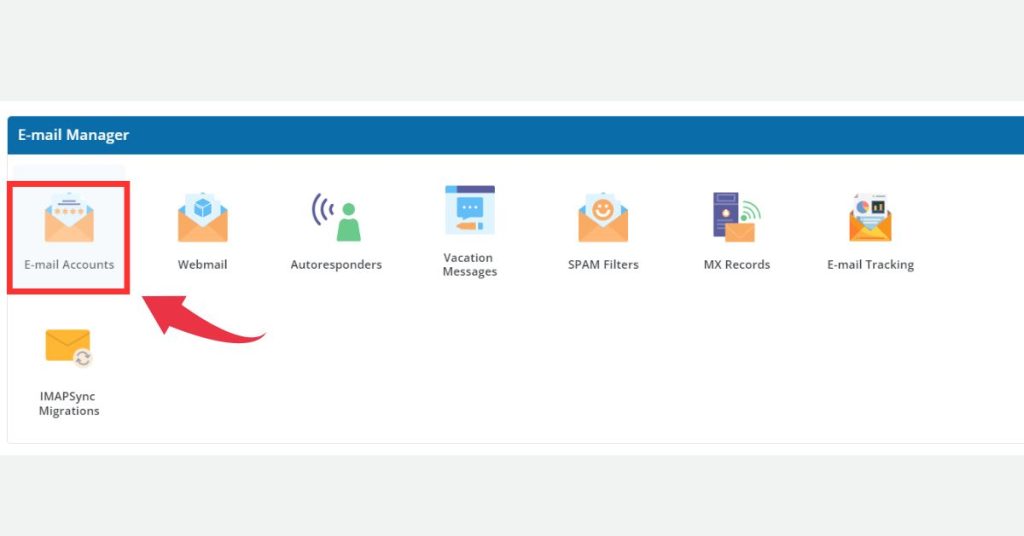
Step 5: Locate the “Email Accounts” under the “E-mail Manager” section. and click on it.
Step 5: To create a new email account, click on “Create Account.”
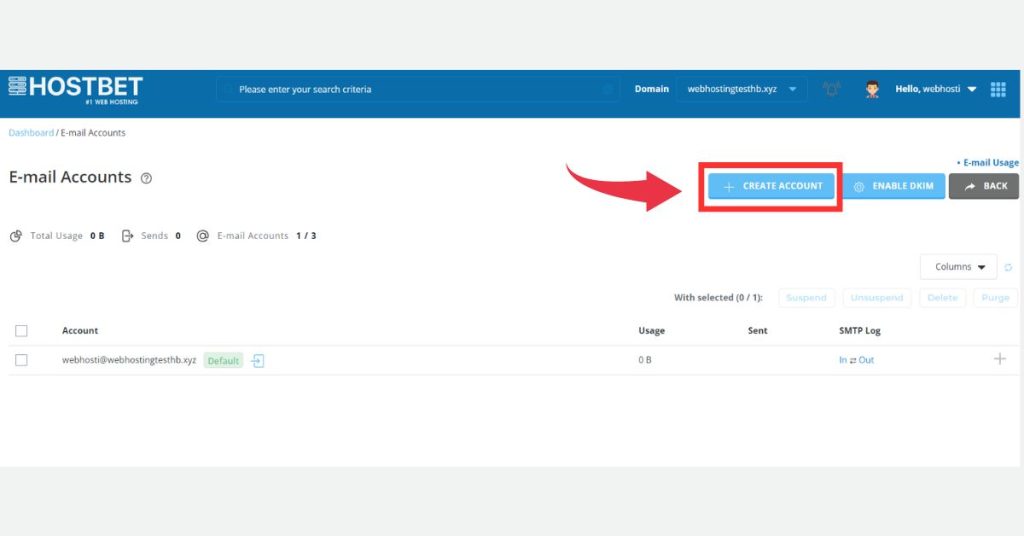
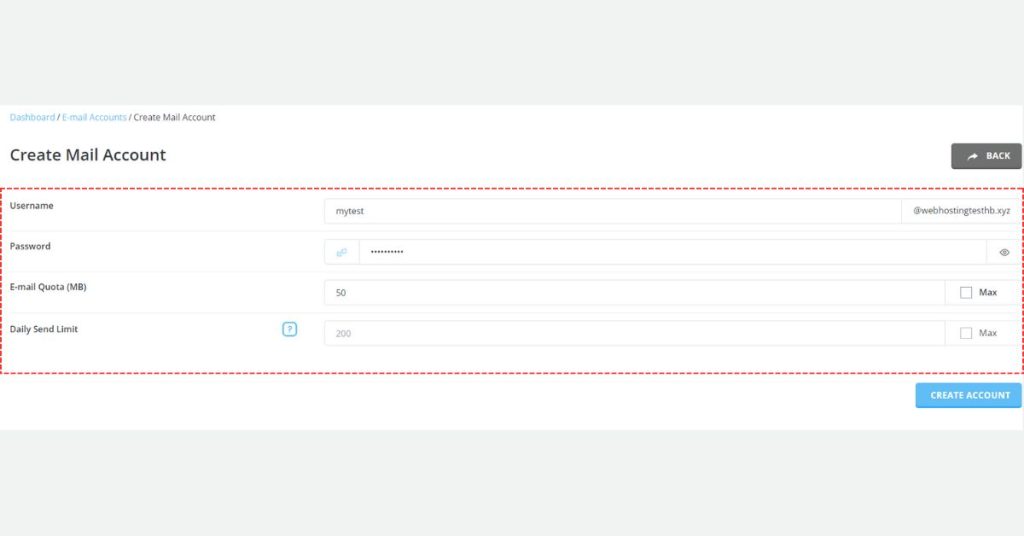
“This will open the email account creation form.”
- Email Address: Enter the first part of your email address before the “@” symbol (e.g., “yourname,” whatever you want for your business).
- Password: Create a strong password for your email account.
- Email Quota (MB): Choose how much storage space you want to allocate for your email account.
- Daily Send Limit: Set a limit on how many emails you can send per day or hour (if applicable).
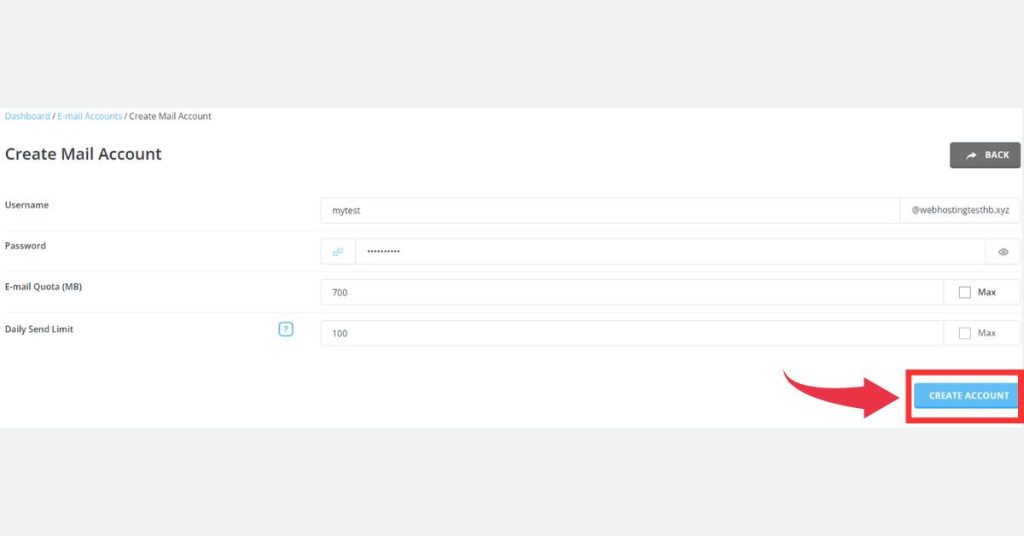
Step 6: Once you’ve fielded all the information, click on CREATE ACCOUNT.
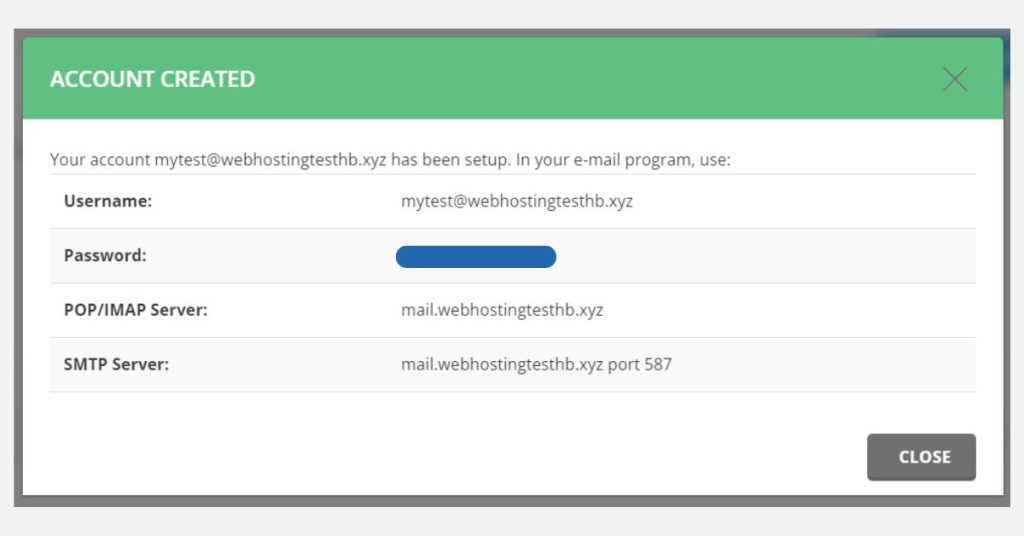
Congratulations! You have successfully created an email account in DirectAdmin.
Final Thoughts on How to Create Email Account
Congratulations! You’ve successfully created your new email account in DirectAdmin by following these steps. Now you can easily send and receive emails using your new account. This enhances your brand image and attracts more potential clients or customers. Remember, always secure your email account with a strong password and keep it confidential.
Some Frequently Asked Questions
How can I create email account?
1: Click on the “Log in to DirectAdmin” button.
2: Navigate to the “E-mail Manager” section within your DirectAdmin panel.
3:Under “E-mail Manager,” click on “Email Accounts.”
4:Click on “Create Account” to set up a new email address.
5:Fill in the details:
Email Address: Enter your desired name before the “@” symbol (e.g., yourname).
Password: Create a strong password for your email account.
Storage Space: Choose the storage quota for your emails.
Sending Limit (Optional): Set a limit on outgoing emails per day/hour (if needed).
6:Click on “CREATE ACCOUNT” to finalize the process.
Do I need any technical expertise to create email account in DirectAdmin?
By following these simple steps, you can create email account even without any technical expertise.
How can I create a professional email address for my website?
If you use HostBet web hosting with DirectAdmin control panel, you can easily create email accounts associated with your domain name.