Before creating an FTP account in cPanel, you need to understand the importance of an FTP account, what an FTP account is, how it works, and why it is important for website management.
FTP (File Transfer Protocol) is a network protocol used to transfer files between clients and servers on a computer network.
FTP provides a secure and efficient way for uploading, downloading, and managing files on a remote server.
Logging into cPanel
To create an FTP account in cPanel, first of all, you need to log in to your hosting cPanel account. Follow simple these steps:
Navigating to the FTP Accounts Section
To find the FTP Accounts section, follow these steps:
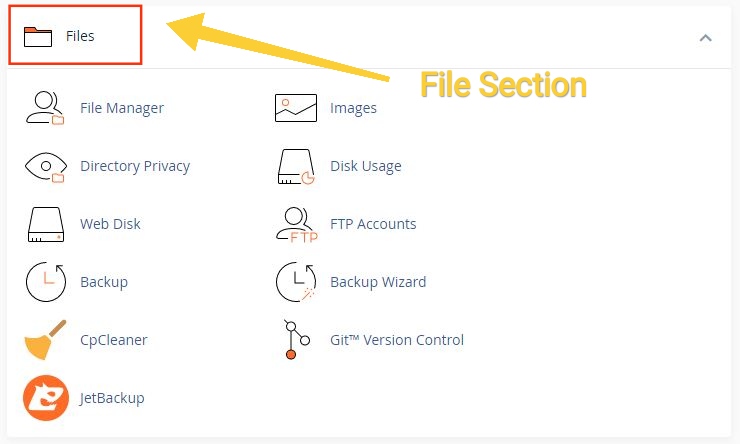
Scroll down or use the search bar to locate the “Files” section.
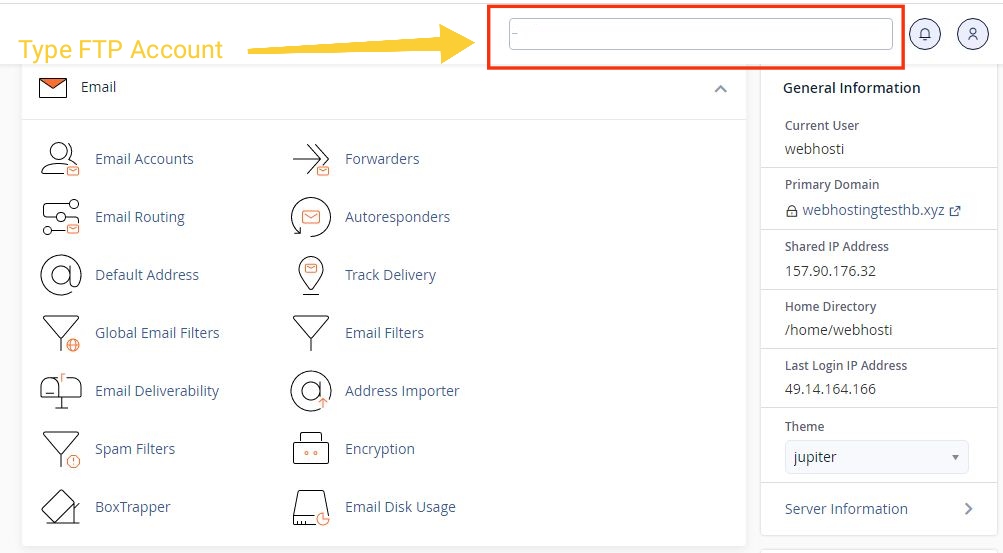
Or you can search by typing Direct FTP Account in the search box.
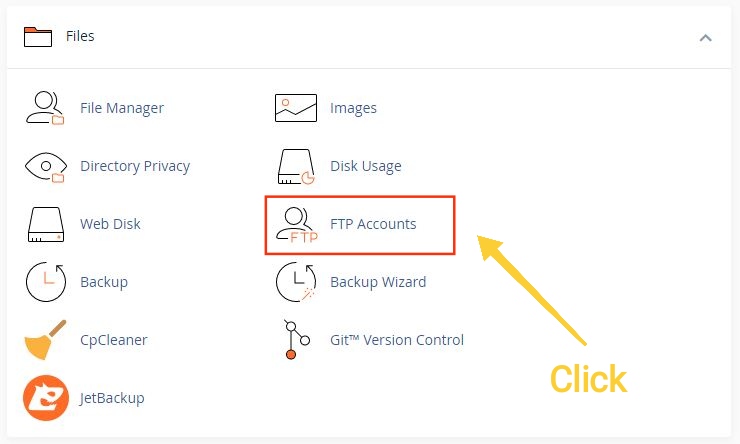
Click on the “FTP Accounts” icon.
To Creating a New FTP Account
Now that you have reached the FTP Accounts section, you can proceed to create a new FTP account. Follow these steps:
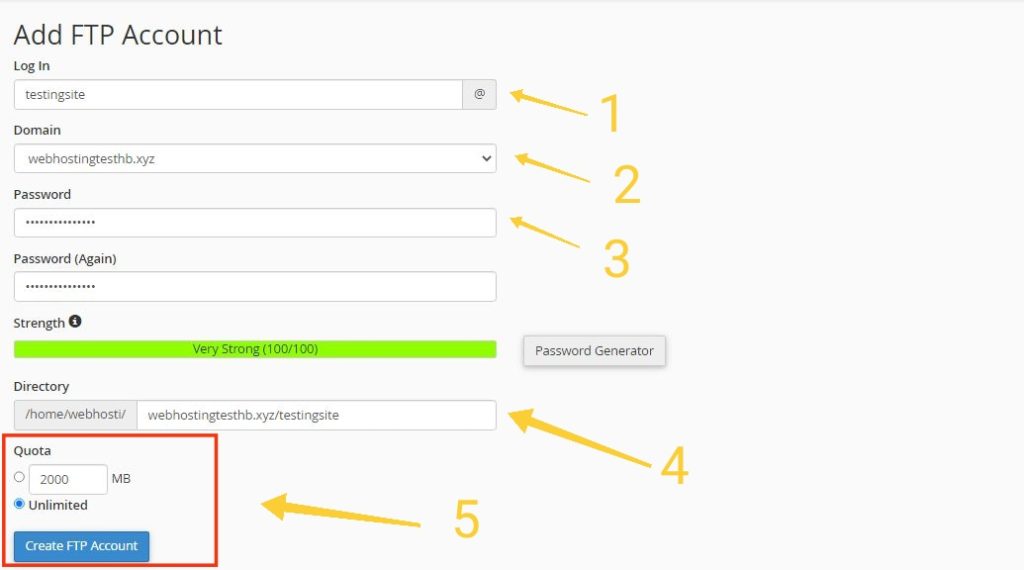
Step 1: In the “Add FTP Account” section, enter a desired username (according to your requirements) for the FTP account. Choose a simple and easily identifiable username.
Step 2: Choose specific domain name where you would like to create FTP account , You cannot create FTP account without domain name
Step 3: For enhanced security Enter a strong password for the FTP account. You need to use a combination of upper- and lower-case letters, numbers, and special characters.
Step 4: Specify the directory the FTP account will have access to. By default, the FTP account will have access to the public_html directory, which contains your website files.
Step 5: If you want to limit the disk space available for the FTP account, enter a quota value in megabytes (MB). If you prefer to provide unlimited disk space, leave this field blank.
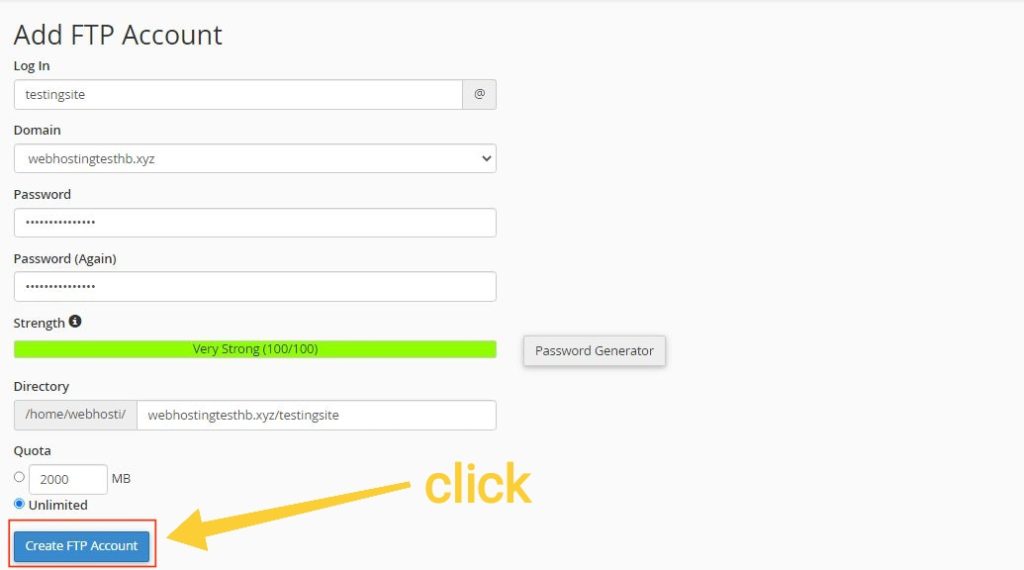
Step 6: Click the “Create FTP Account” button to Create FTP Account cPanel
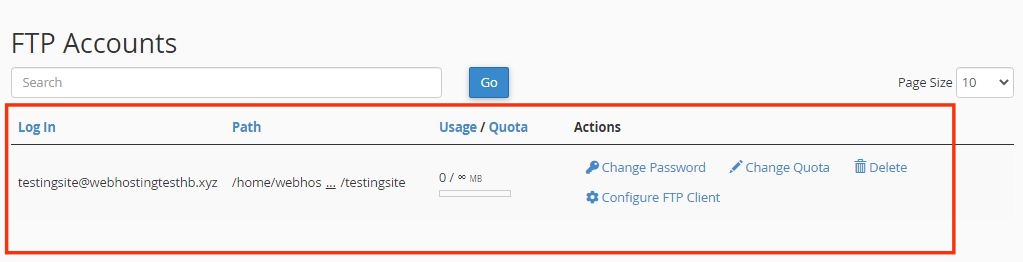
Congratulation FTP Account is Ready
Understanding the importance of an FTP account is crucial for efficient website management. An FTP account, which stands for File Transfer Protocol, is a network protocol used to transfer files between clients and servers on a computer network. By following these steps, you can effectively manage file transfers and maintain control over your website’s content.
If you’re looking for an affordable web hosting provider, then HostBet is an excellent choice that you should definitely consider.
Also Read – How to Add additional Domain Name in cPanel?
Why do I need to create an FTP account in cPanel?
Creating an FTP account in cPanel allows you to securely transfer files between your computer and your web server. It simplifies the process of managing your website files, enabling you to upload, download, and organize them with ease.
Can I create multiple FTP accounts in cPanel?
Yes, cPanel allows you to create multiple FTP accounts, each with its unique username and password. This feature is particularly useful when you need to grant FTP access to different individuals or teams.
How do I change the password for an FTP account?
To change the password for an FTP account in cPanel, follow these steps:
1. Log in to cPanel.
2. Navigate to the FTP Accounts section.
3. Locate the FTP account for which you want to change the password.
4. Click the “Change Password” link next to the FTP account.
5. Enter a new password and click the “Change Password” button to save the changes.
What should I do if I forget the FTP account username or password?
If you forget the FTP account username or password, you can reset it in cPanel. Follow these steps:
1. Log in to cPanel.
2. Navigate to the FTP Accounts section.
3. Under the “Special FTP Actions” section, click the “Change Password” link next to the FTP account.
4. Click the “Reset Password” button to generate a new password for the FTP account.